
Engine Lab · Engine simulator for iPhone and iPad
Build, tune, and hear virtual engines.
Engine Lab is an engine and sound simulator for iOS and iPadOS. Choose an engine, work the throttle, watch the crank and pistons move, and hear the simulation respond. Build your own setup, adjust the tune, and compare simulated dyno pulls—all on your device.
New in Engine Lab 1.7
Build it. Put it in a car. Test the result.
Version 1.7 has been approved for distribution. Read the release notes or follow the build-and-tune guide to get started.
Challenges and leaderboards
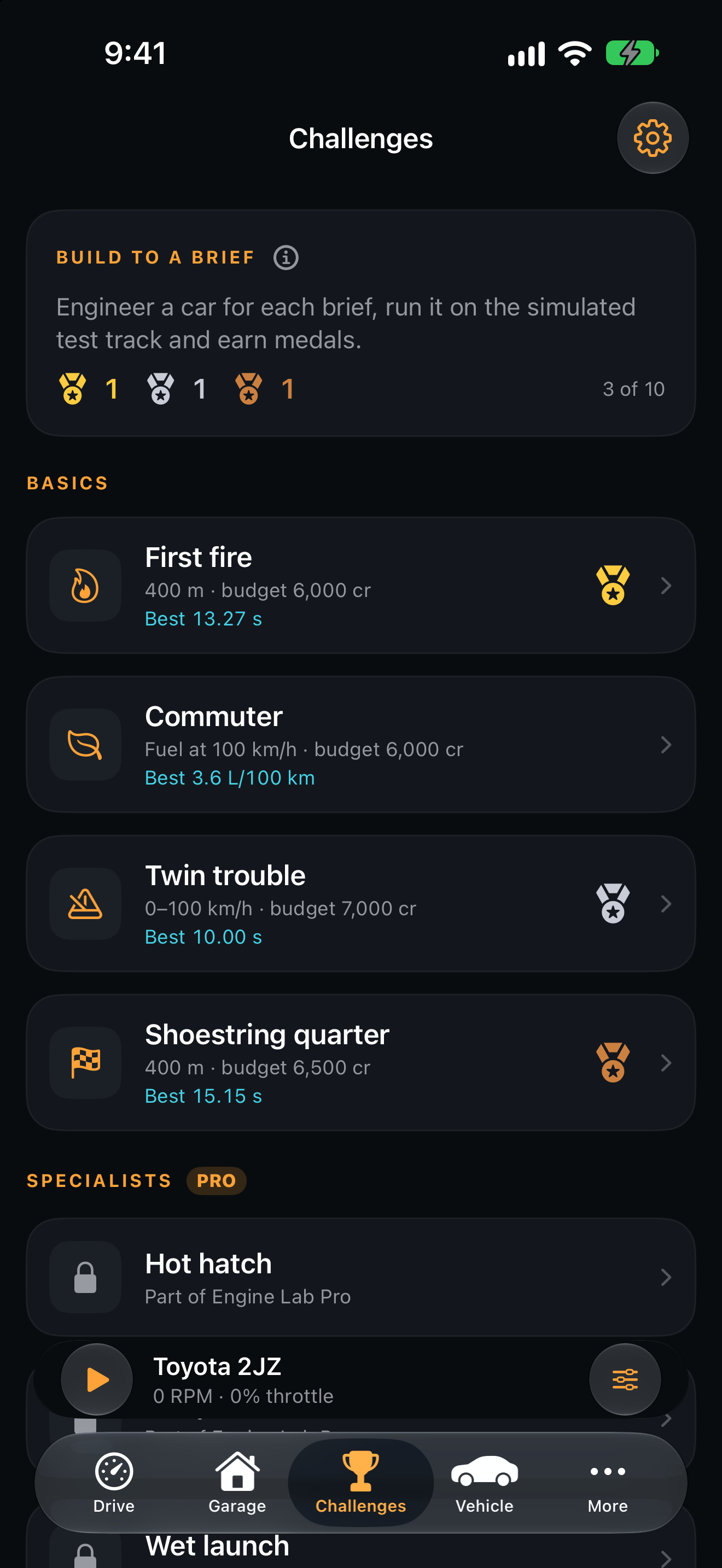
Build a car to a brief, run it on the simulated test track, and earn medals. Compare qualifying results on Game Center leaderboards. Challenges are not offered on the China mainland storefront.
Vehicle and Drive
Put your engine in a 3D car with a gearbox, driven wheels, tyre slip, and working brakes. The redesigned iPhone and iPad cockpit combines brake, throttle, and hold to rev.
Experimental turbo
Explore spool, wastegate, intercooler, and knock control, with boost on Drive. Tune port fuel injection, custom cams, headers, runner lengths, throttle body, and crankshaft types.
Engine sound simulation
Hear the engine respond to your throttle.
The engine simulation and exhaust synthesizer run on your device. Change the throttle and tune, then listen to how the engine responds as RPM and load change.
Sound and mechanics together
Orbit and zoom a 3D engine generated from the live simulation, including your custom builds. Slow it down, tap parts for live readings, and switch between X-ray, solid, and classic 2D views as the native synthesizer generates engine sound.
Try different engine layouts
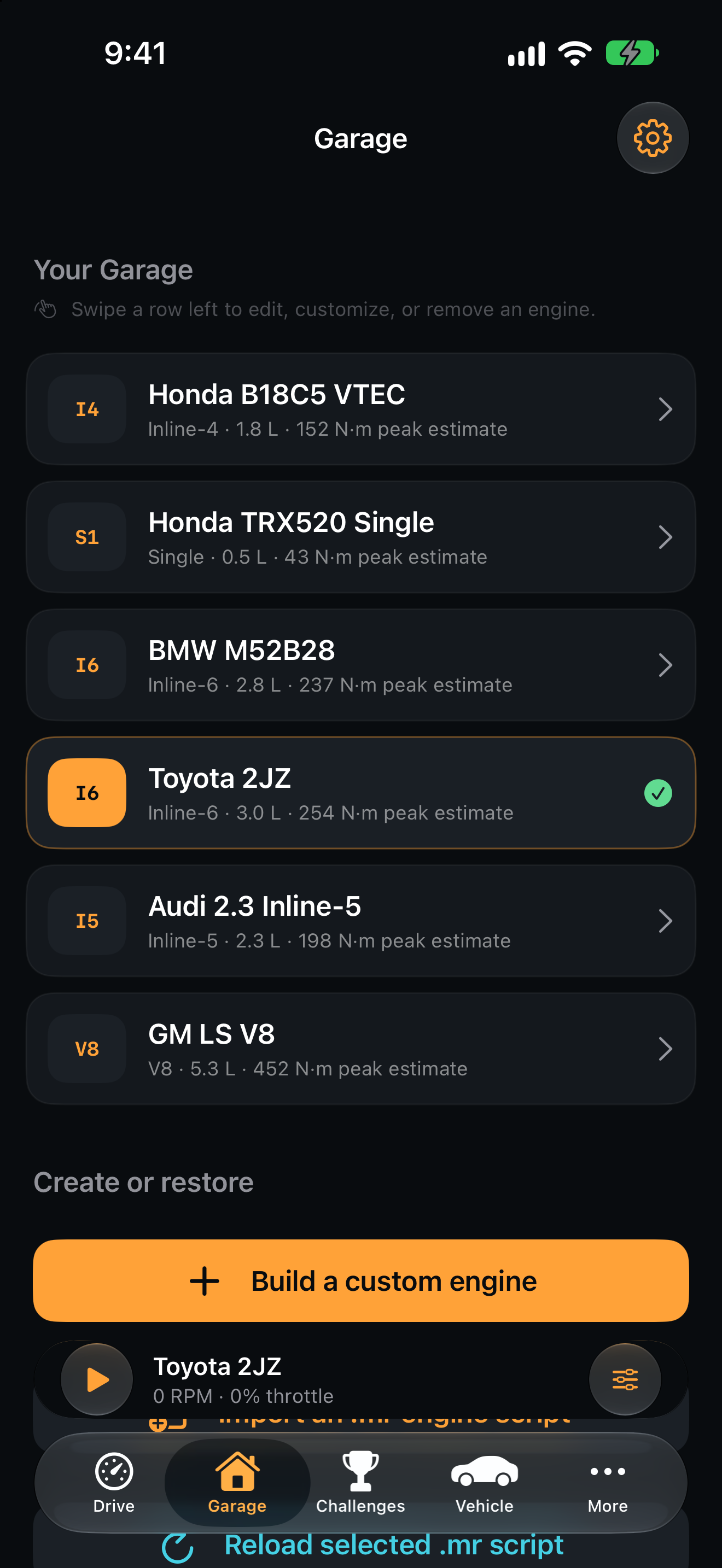
Explore single-cylinder, inline-four, inline-five, inline-six, and V8 setups in the garage. Choose a starting point, then compare its response with another engine.
Keep your experiments local
Run the engine simulator on iPhone or iPad without an account. Save custom setups, inspect local results, and export synthesized engine audio as a WAV file when you want to share a sound.
Build and tune
Change one setting. Compare the response.
Use the garage, tuning controls, and dyno to explore how an engine setup behaves.
Build a custom engine
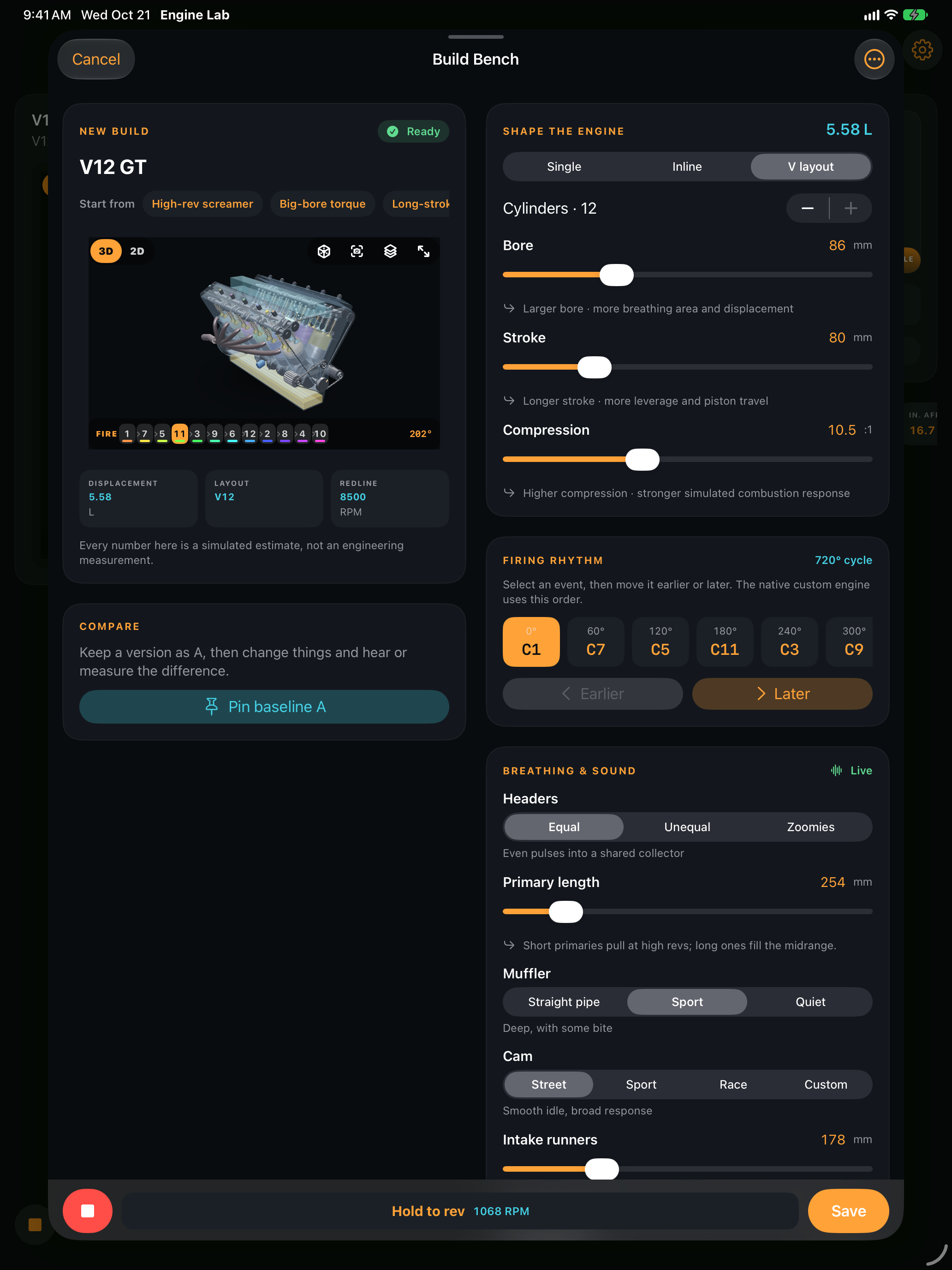
Build from one to twelve cylinders in Build Bench. Set layout, bore, stroke, firing order, and redline, hear the engine as you edit, and compare with a saved version.
Explore engine tuning
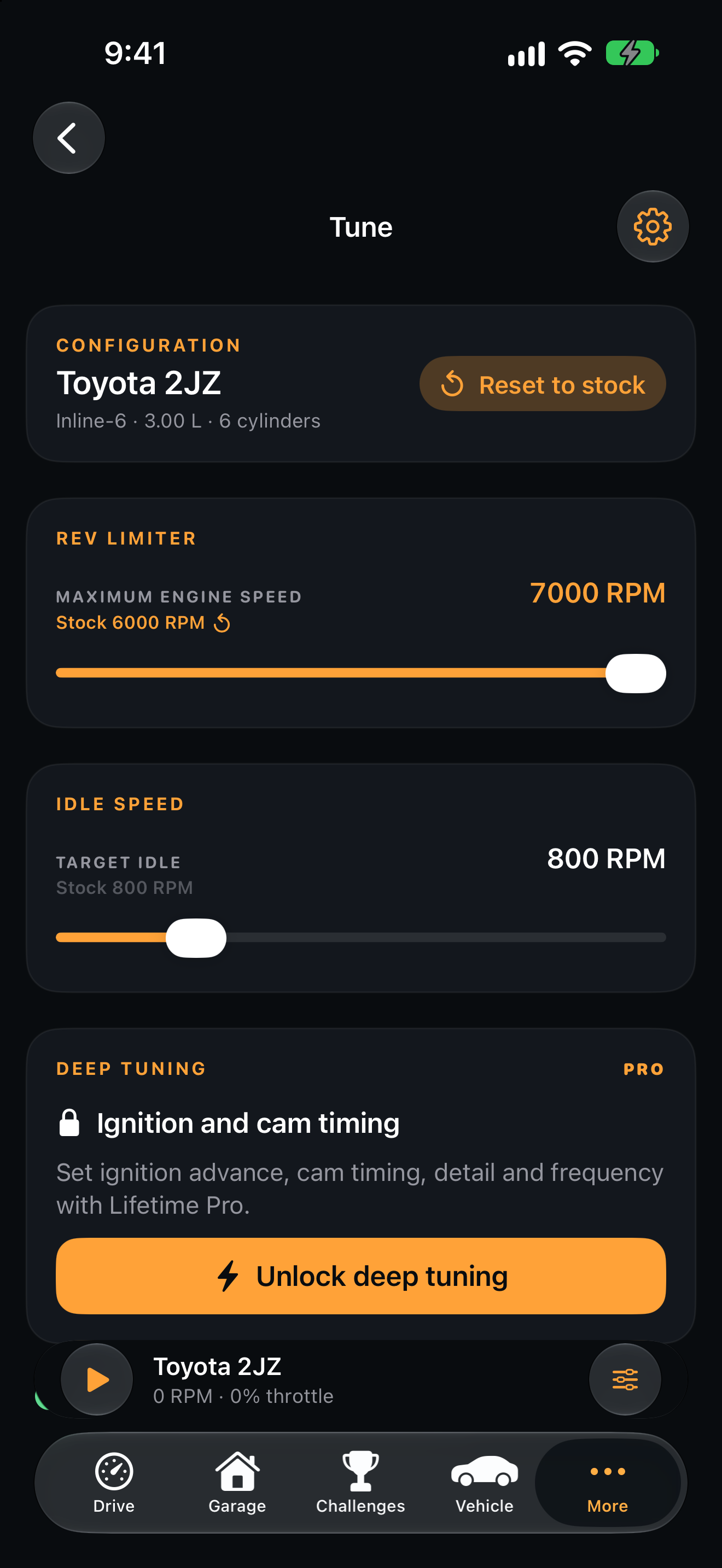
Adjust idle, rev limit, ignition, and cam timing, then explore the expanded fuel, intake, exhaust, and crankshaft settings. Compare what changed in the sound and telemetry.
Run simulated dyno pulls
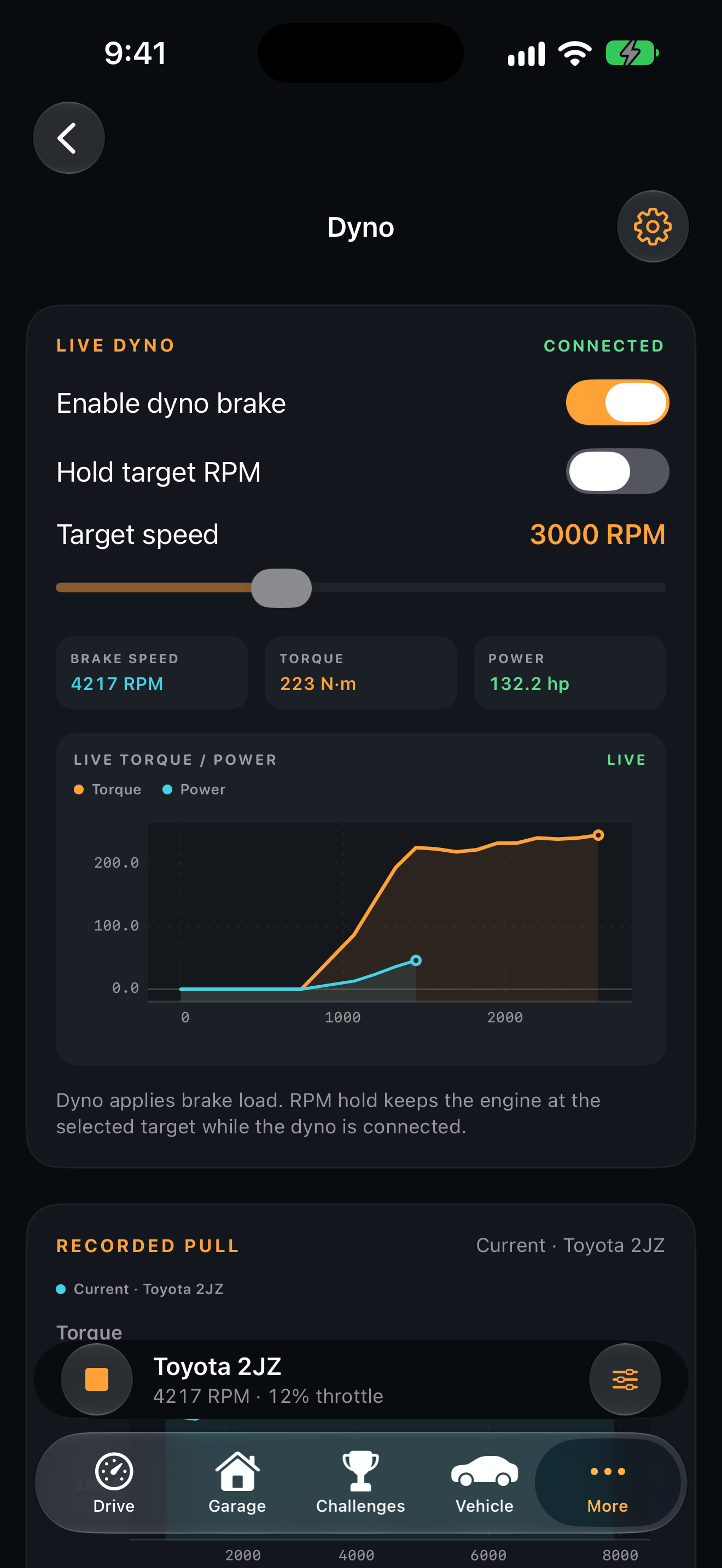
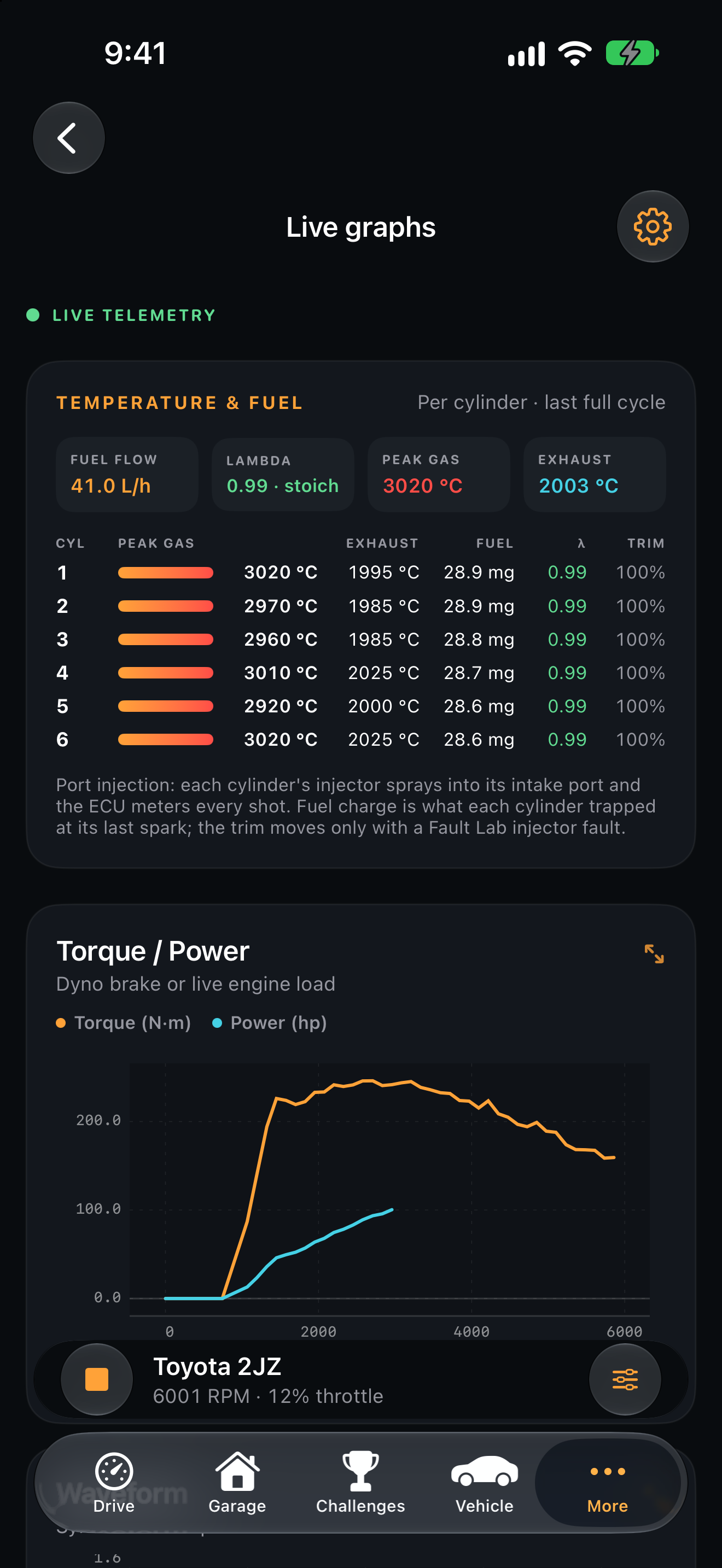
Run physics-based dyno pulls and compare saved torque and power curves. Live graphs include per-cylinder temperature and fuel. Results are model estimates, not real-engine measurements.
Inside the lab
Build, tune, and measure.
Real captures from the current iOS build show the path from choosing an engine to watching it run, changing calibration, and comparing torque, power, and waveform telemetry.
Learn and explore
Get more from your engine simulator.
Build and tune an engine on iPhone and iPad
A practical guide to Build Bench, 3D inspection, sound comparisons, and simulated dyno pulls.
What’s new in Engine Lab 1.7
Challenges, Game Center leaderboards, Vehicle, experimental turbo, and the latest tuning tools.
Common questions
About Engine Lab.
Can I use this engine simulator on iPhone and iPad?
Yes. Engine Lab is available on the App Store for iPhone and iPad. The simulation, engine sound synthesis, and saved experiments run on the device.
Does Engine Lab generate engine sounds?
Yes. Its native exhaust synthesizer runs with the engine simulation, so you can hear the response while changing throttle and engine settings. Play the short website demo to hear the Toyota 2JZ engine sound and see the interface.
Can I build and tune custom engines?
Yes. Use the garage to create and save engine setups, adjust the tuning, and compare their behavior with simulated dyno pulls and live graphs.
What does Pro unlock?
The free plan keeps three saved builds. An optional one-time Pro purchase unlocks advanced tuning and unlimited saved builds. Check the in-app offering for your storefront.
Do leaderboards need Game Center?
Game Center is used to sign in and compare Challenge results online. The core engine simulation runs locally without a Cognerva account.
Can I use the dyno results to tune a real car?
The dyno produces simulated estimates. Engine Lab is a virtual learning and experimentation tool, not an engineering measurement system or a calibration tool for a real vehicle.